What WAM-0.1 is built to teach
Most visual datasets show what the world looks like. WAM-0.1 also records what the robot did and what changed after the action. That makes it useful for models that need to connect perception, action, and physical consequence.
The dataset uses a simulated Panda arm and contains successful demonstrations from official RoboSuite and RoboCasa tasks. Both sources use the same storage contract, allowing them to become one action-conditioned training system.
The central learning contract: observe a state, apply a known action, and preserve the resulting state as a grounded prediction target.
Two aligned learning levels
WAM-0.1 is organized at two temporal scales. Level 0 captures immediate one-step dynamics; Level 1 groups those transitions into short-horizon action chunks and future subgoals.
01 · Level 0One-step dynamics
Level 0 represents the immediate effect of one action on the scene.
input image + one 7D Panda action → next observation image
Each physical transition contains an input observation, one Panda action, the resulting observation, robot state, and task metadata.
[dx, dy, dz, dRx, dRy, dRz, gripper]
02 · Level 1Action chunks and subgoals
Level 1 groups consecutive Level 0 transitions into a short-horizon prediction target. The start and end frames come from the same trajectory; they are never randomly paired.
starting image + action chunk → future subgoal image
Level 0: image[t] + action[t] → image[t + 1]
Level 1: image[start] + actions[start:start+8] → image[start + 8]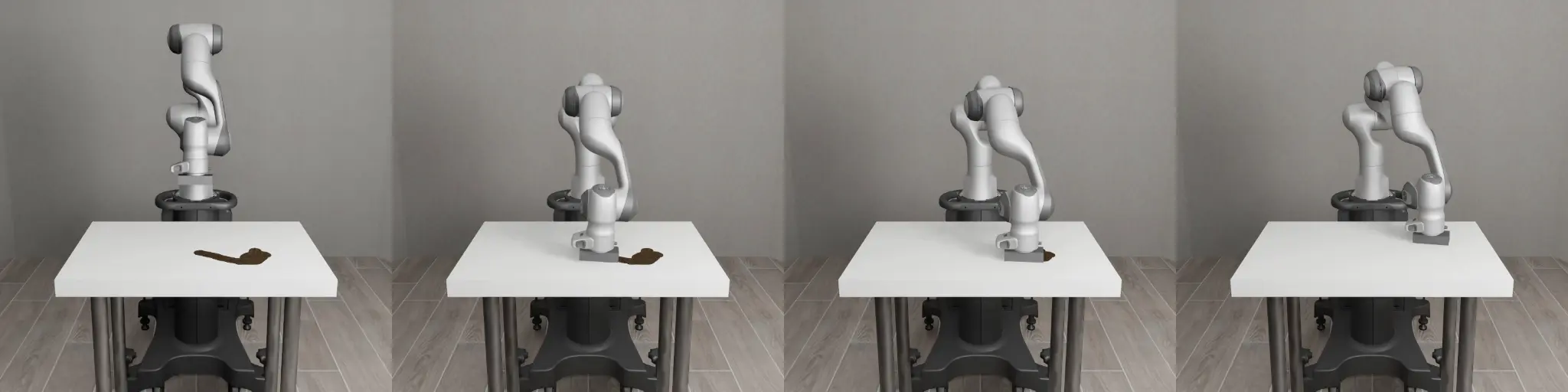
Data sources and task coverage
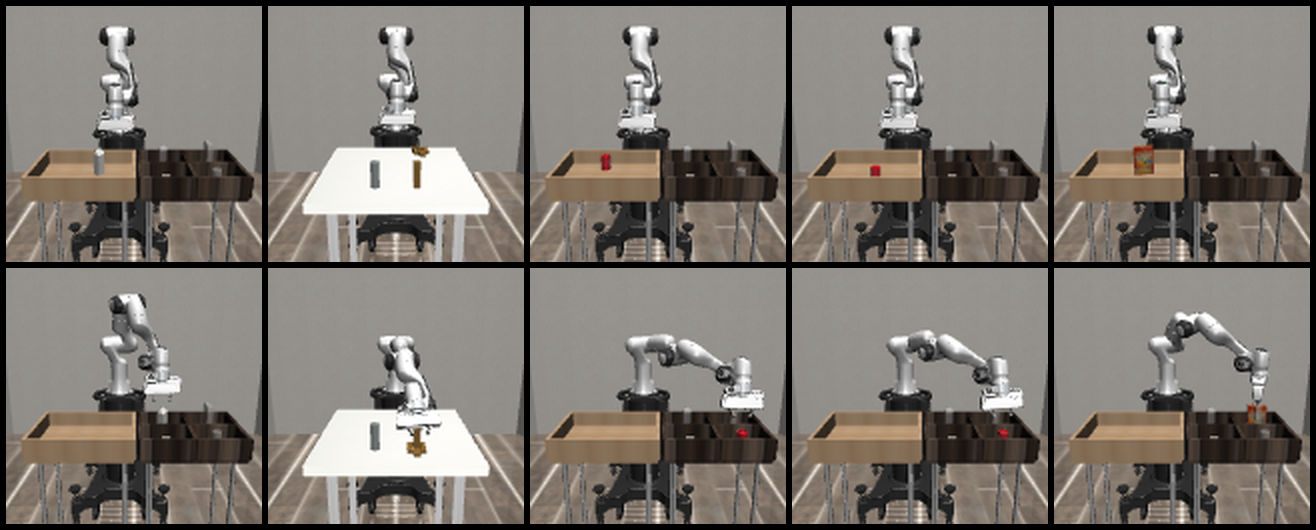
01 · RoboSuiteCore manipulation tasks
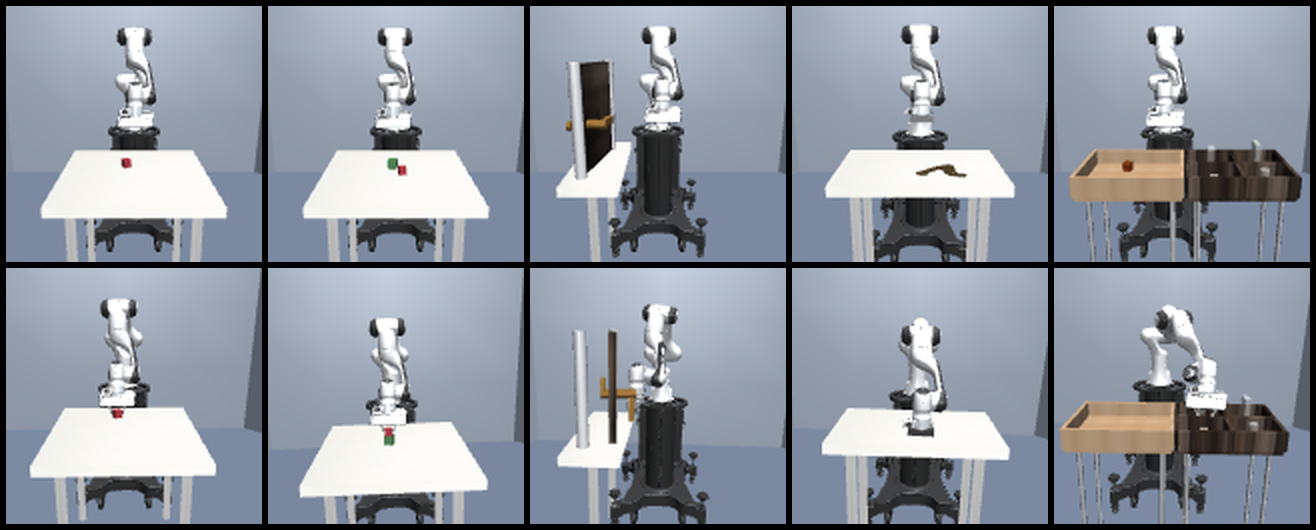
Official Panda manipulation tasks covering lifting, stacking, wiping, doors, placement, and assembly.
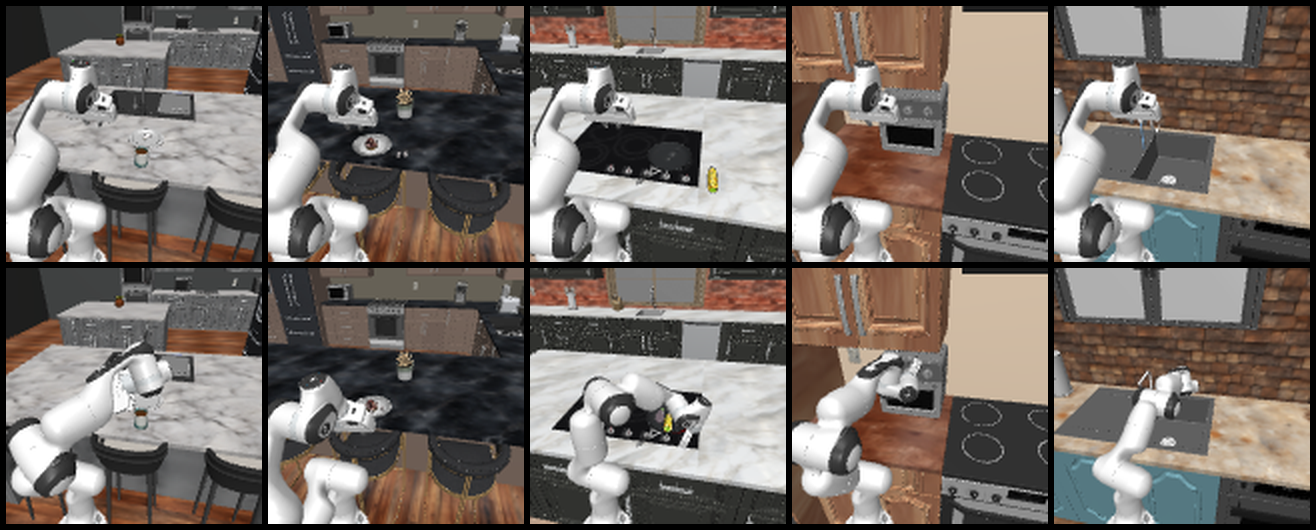
Household and kitchen tasks
Official household and kitchen tasks that extend the range of behaviors beyond the core RoboSuite set.
The dataset includes successful demonstrations from normal trajectories and controlled randomized trajectories that vary scene and object conditions while preserving task logic.
| Source | Included tasks |
|---|---|
| RoboSuite | Lift, Stack, Door, Wipe, PickPlaceBread, PickPlaceMilk, PickPlaceCereal, PickPlaceCan, PickPlaceSingle, NutAssemblySquare |
| RoboCasa | Official household and kitchen manipulation tasks from the RoboCasa task suite |
Visual observations
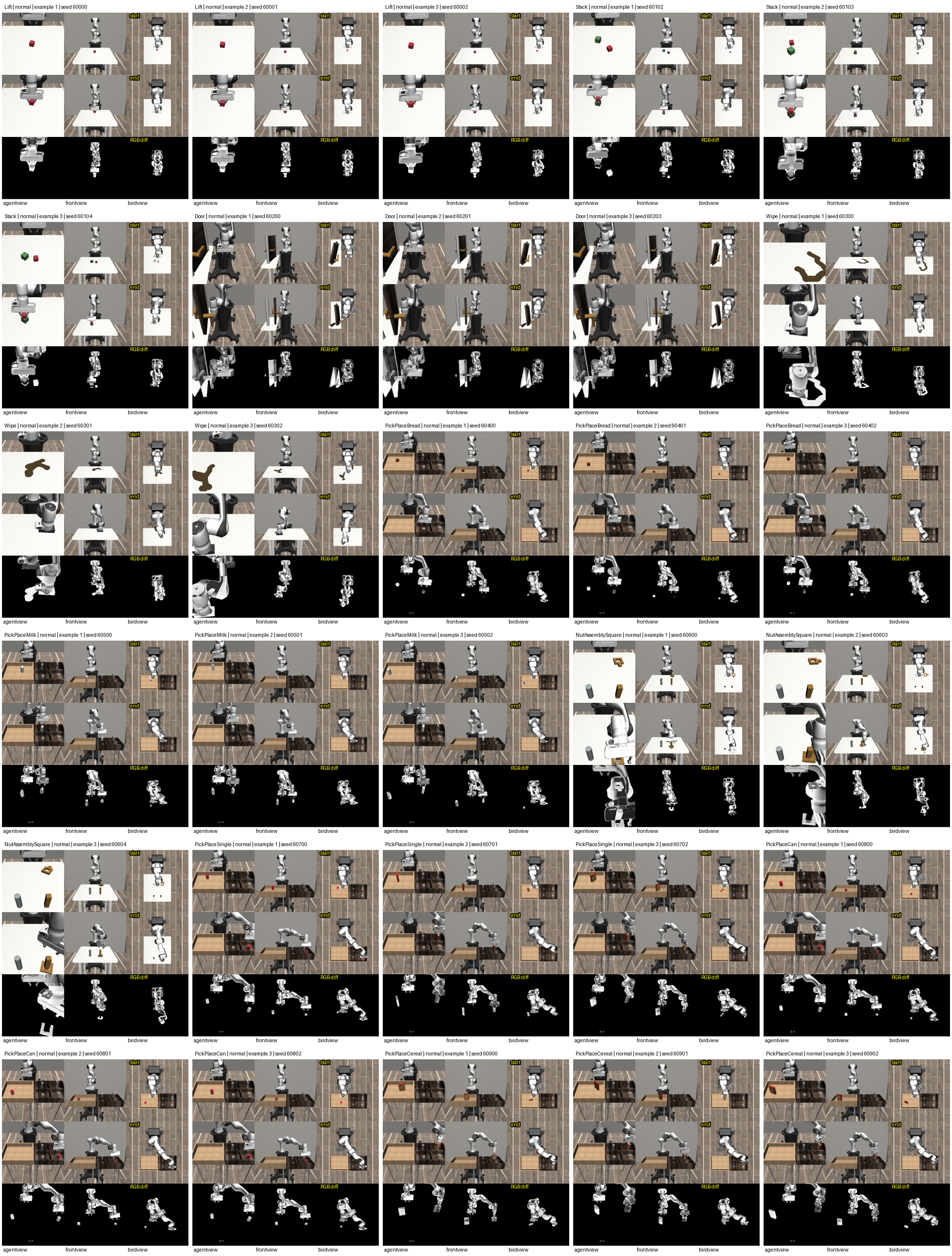
Each physical transition can contain synchronized observations from three camera views. A Level 0 input and output must use the same camera stream and remain inside the same trajectory.
Observation contractThree views, one aligned transition
The standard image resolution is 128 × 128 pixels. The available camera
streams are agentview, frontview, and
sideview.
camera[t] + action[t] + state[t] → camera[t + 1] + state[t + 1]
Storage and distribution
The local project keeps code, schemas, documentation, validation tools, and visual examples together. The dataset is distributed separately as downloadable Hugging Face shards.
Local training layoutFinal dataset structure
data/
└── final/
    ├── level_0/
    │   ├── normal/
    │   ├── random/
    │   └── robocasa/
    └── level_1/
        ├── normal/
        ├── random/
└── robocasa/Shard-based distribution
The repository is organized around downloadable tar shards. Each shard contains one task and split combination, with the learning levels preserved inside the archive where applicable.
atomctrl/wam-0.1/
├── README.md
└── shards/
    ├── lift-normal.tar
    ├── random-Lift.tar
    ├── normal-Door.tar
    ├── random-Door.tar
    ├── normal-Stack.tar
    ├── random-Stack.tar
    ├── normal-PickPlaceBread.tar
    ├── random-PickPlaceBread.tar
    ├── normal-PickPlaceCan.tar
    ├── random-PickPlaceCan.tar
    ├── normal-PickPlaceCereal.tar
    ├── random-PickPlaceCereal.tar
    ├── normal-PickPlaceMilk.tar
    ├── random-PickPlaceMilk.tar
    ├── normal-PickPlaceSingle.tar
    ├── random-PickPlaceSingle.tar
    ├── normal-NutAssemblySquare.tar
    ├── random-NutAssemblySquare.tar
    └── normal-robocasa.tar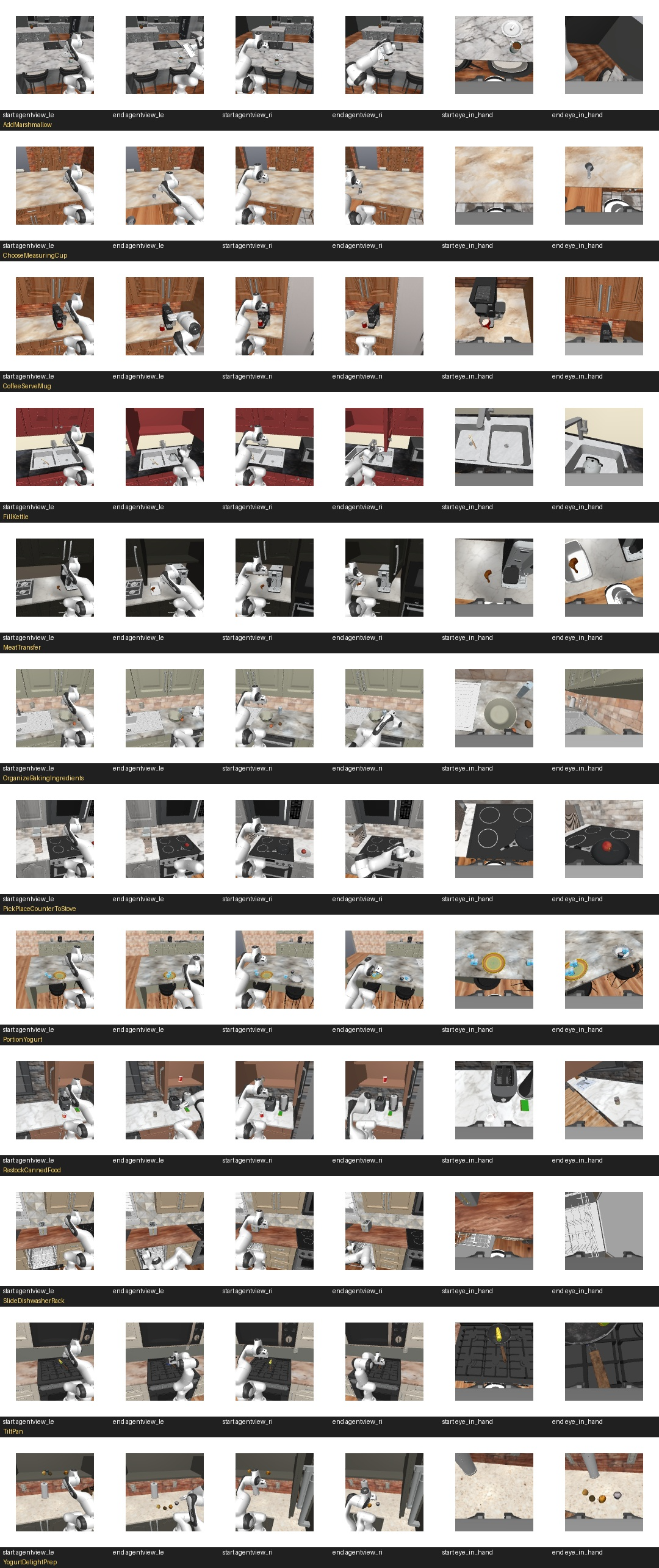
File contracts
Level 0Physical transition
level_0/normal/Lift/trajectory_000000/
├── observation/
│   ├── agentview/000000/
│   │   ├── rgb.png
│   │   └── depth.npy
│   ├── frontview/
│   └── sideview/
├── action.npy
├── robot_state.npy
├── observation_state.npy
└── metadata.jsonAction-chunk segment
level_1/normal/Lift/trajectory_000000/
├── segment_000/
│   ├── action_block.npy
│   ├── start_state.npy
│   ├── subgoal_state.npy
│   └── metadata.json
└── segment_001/
Every Level 1 segment references a contiguous block of Level 0 actions. The segment start is the first observation, and the subgoal is the future observation reached after the action chunk.
From collection to shard
The collection pipeline keeps task success, frame alignment, camera consistency, array shapes, and metadata paths inside the validation boundary.
PipelineOne trajectory, validated end to end
task selection
    → environment reset
    → action execution or official replay
    → Level 0 capture
    → Level 1 chunk construction
    → validation
    → task shard creation
→ Hugging Face upload- The collector selects a RoboSuite or RoboCasa task and a successful demonstration source.
- The environment is reset and the Panda scene is initialized.
- The controller replays or executes the task action sequence.
- RGB, depth, robot state, action, and metadata are captured at every step.
- The captured step is written as a Level 0 transition.
- Consecutive Level 0 transitions are grouped into fixed-length Level 1 action chunks.
- Validation checks alignment, task success, camera consistency, shapes, and paths.
- Validated task directories are packed into Hugging Face shard archives.
Using a single shard in Colab
A single shard can be downloaded for inspection without pulling the full dataset. This keeps early experiments small while preserving the production storage contract.
Quick startDownload one task shard
!pip -q install huggingface_hub

from huggingface_hub import hf_hub_download

shard = hf_hub_download(
    repo_id="atomctrl/wam-0.1",
    repo_type="dataset",
    filename="shards/lift-normal.tar",
    local_dir="/content/wam-test"
)

print(shard)
Intended use
WAM-0.1 is intended as a research substrate for action-aware prediction, planning, and control. Its paired observations and actions make the dataset useful wherever a model needs to explain not only what changed, but why it changed.
01 · Representation learningGrounded visual prediction
H-JEPA can use the aligned images, robot state, and action traces to learn representations grounded in physical transitions rather than appearance alone.
02 · World modelsActions connected to outcomes
The Level 0 and Level 1 contracts support one-step dynamics prediction as well as short-horizon subgoal prediction for action-conditioned world models.
03 · Planning and controlFrom prediction to behavior
The same structure can support visual planning, Panda manipulation research, and simulation-to-real experiments where a controller must anticipate the consequences of its next action.